Using the new custom view
To complement the SOLVE-IT explorer we can also now offer the ‘custom view’ web app. This is useful for anyone who wants to change the way that the SOLVE-IT techniques are organised/categorised.
New Custom Viewer
Built on the same code as the SOLVE-IT Explorer the custom viewer is available here:
The screenshot below shows the custom viewer used to display the DFRWS process model stored in JSON files created for the original SOLVE-IT paper (available in the examples repository).
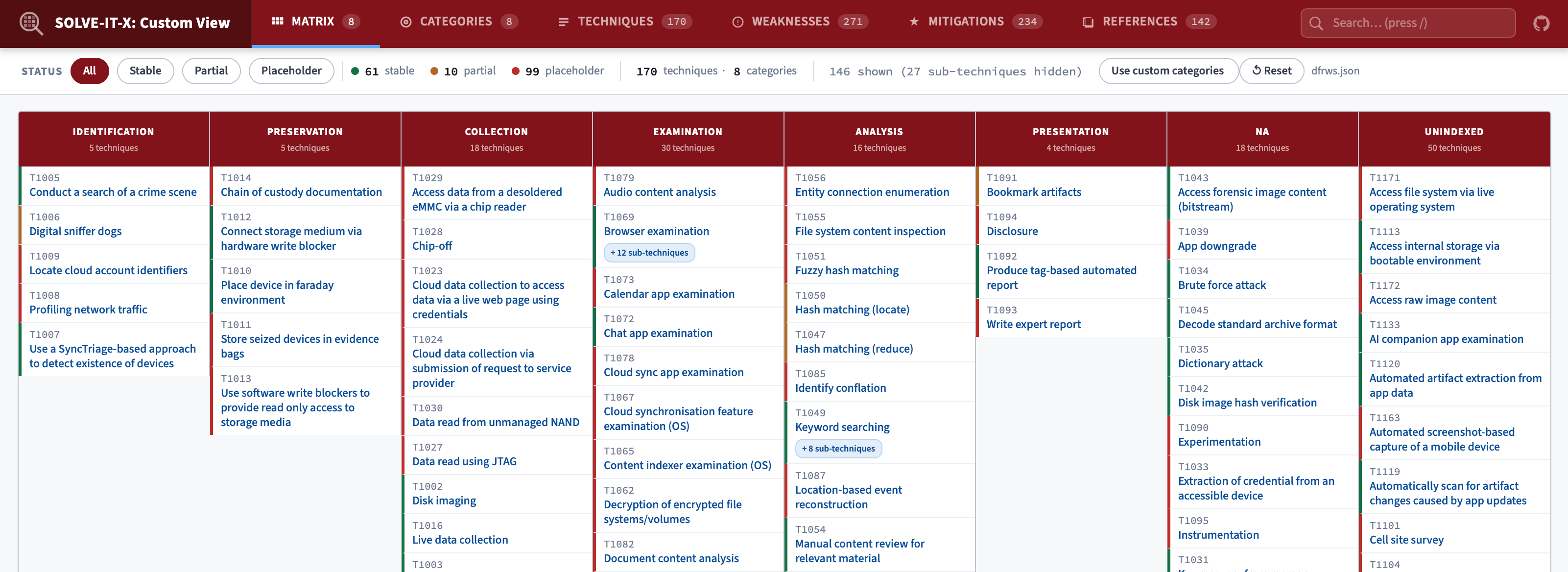
An extract from the dfrws.json configuration file is shown below.
[
    {"name":"Identification",
    "description": "Detect the crime or incident from indicators, anomalies, complaints, system monitoring, audit analysis, or other signs.",
    "techniques": ["DFT-1005", "DFT-1006", "DFT-1009", "DFT-1008", "DFT-1007"]
    },

    {"name":"Preservation",
    "description": "Case management, forensic imaging, chain of custody, and time synchronization.",
    "techniques": ["DFT-1014", "DFT-1011", "DFT-1010", "DFT-1012", "DFT-1013"]
    },

    {"name":"Collection",
    "description": "Preservation using approved/validated methods, including recovery techniques, lossless compression, data reduction, and sampling.",
    "techniques": ["DFT-1028", "DFT-1023", "DFT-1024", "DFT-1029", "DFT-1030",
                    "DFT-1027", "DFT-1002", "DFT-1016", "DFT-1003", "DFT-1019",
                    "DFT-1022", "DFT-1020", "DFT-1017", "DFT-1015",
                    "DFT-1018", "DFT-1004", "DFT-1026", "DFT-1025"]
    },
This custom viewer should allow SOLVE-IT techniques to be used more easily in teaching by structuring them around whichever digital forensics process model your class is using.